Plans and Billing
Compare Free and Unlimited limits, choose monthly or yearly billing, add Field Mapping, and manage a subscription.
Public plans
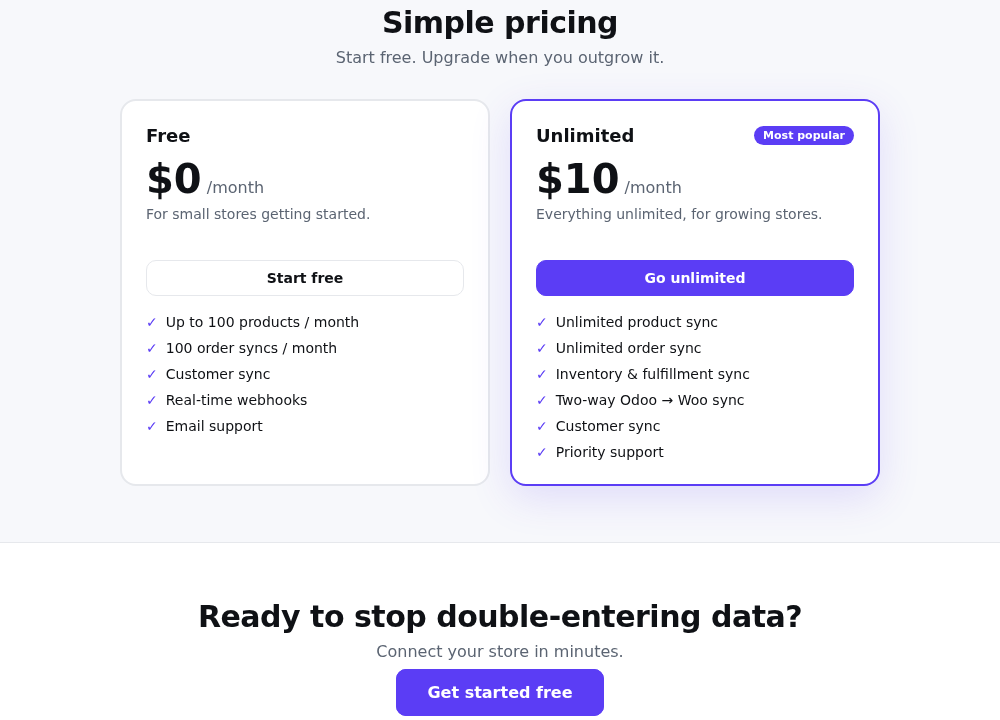
Free — $0/month
- Up to 100 successful product syncs per calendar month
- Up to 100 successful order syncs per calendar month
- Customer sync
- Real-time webhooks
- Email support
The dashboard shows the current monthly product and order usage. When a Free limit is reached, new metered operations are blocked until the next period or an upgrade. Updates to an already mapped product are not metered as new product creation.
Unlimited — $10/month
- Unlimited product sync
- Unlimited order sync
- Inventory and fulfillment sync
- Two-way Odoo → WooCommerce workflows
- Customer sync
- Priority support
Public pricing is available at the Synco application.
Authenticated billing choices
The signed-in Billing page also offers:
| Item | Monthly | Yearly |
|---|---|---|
| Unlimited | $10/month | $100/year |
| Field Mapping add-on | $5/month | $50/year |
Yearly Unlimited is presented as saving the equivalent of two monthly payments. If the add-on is selected, Synco displays the combined total before payment: $15/month or $150/year.
Upgrade
- Sign in and open Billing.
- Choose Monthly or Yearly.
- Optionally select the Field Mapping add-on.
- Review the live total.
- Select the upgrade/start button.
- Complete the embedded Stripe payment form.
Synco creates an incomplete subscription while payment is being confirmed. The account changes to Unlimited after the successful payment is reconciled through the return flow or verified billing event.
Field Mapping add-on
The add-on allows the account to add and save Field Mapping rows. The Billing page shows whether it is active and includes its price in the current billed total.
Current subscription
For an Unlimited account, Billing displays the current interval, active add-on status, and billed total. Interval buttons become read-only for the active subscription.
Cancel
Select Cancel subscription from the authenticated Billing page and confirm the action. Synco sends the cancellation to Stripe; verified subscription events return the account to Free and disable the Field Mapping add-on when no other active subscription remains.
Review current usage and export any needed mapping information before cancelling. Free limits apply again after the downgrade is processed.
Billing errors
- Billing is not configured: payment cannot start until the application has valid Stripe price and key configuration.
- Unlimited price not configured for this interval: choose an available interval or contact support.
- Payment failure keeps/returns the account to Free until a valid active subscription is confirmed.
- Avoid starting checkout in several browser tabs; Synco reconciles duplicate active subscriptions, but one checkout at a time is clearer.