
Jobs Dashboard
Monitor synchronization queues, filter job states, inspect messages, and verify each operation.
The Jobs page is the operational record for Synco background work. It reads merchant-facing product, order, customer, inventory, fulfillment, and bulk queues for the selected store.
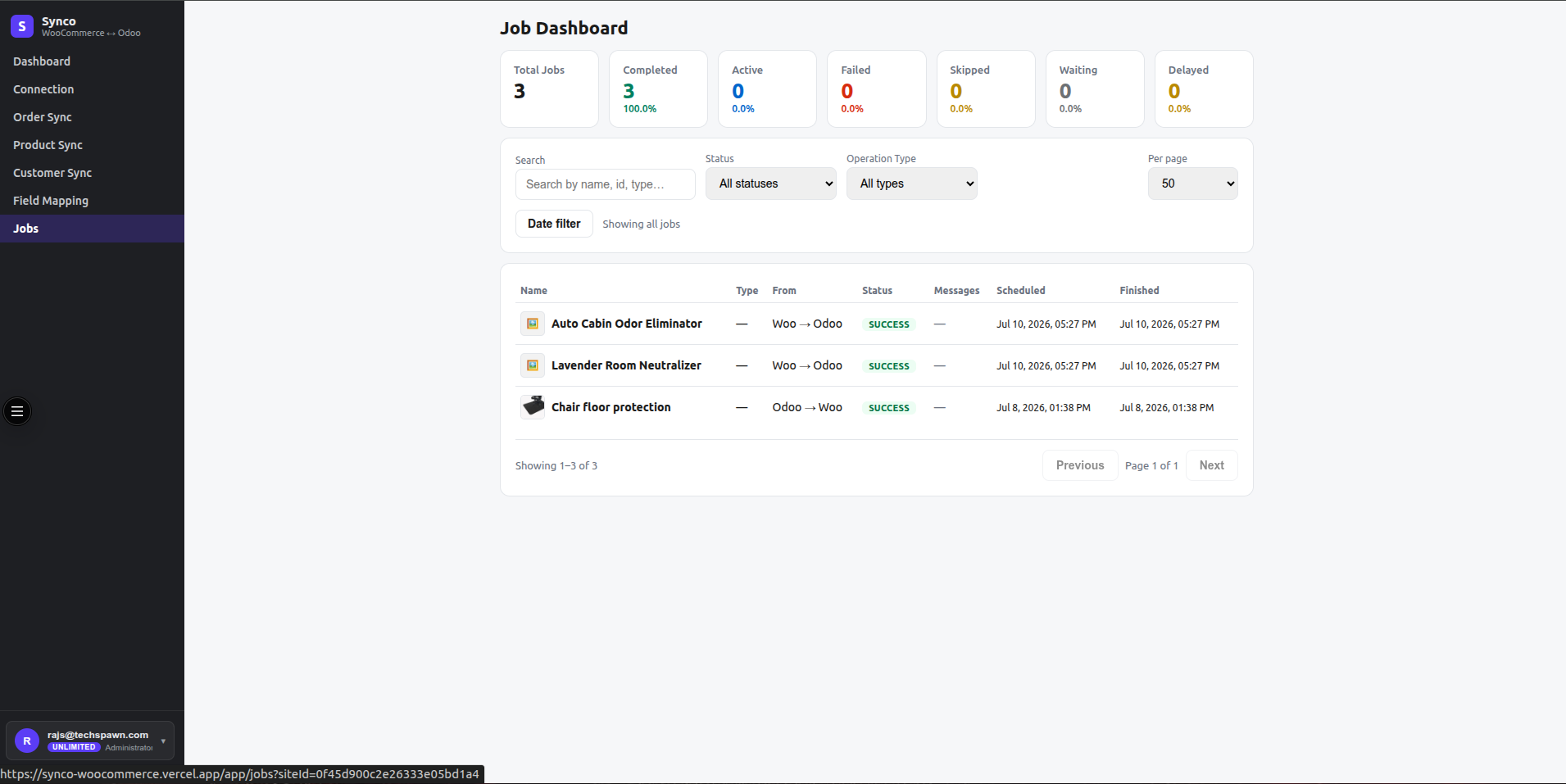
Status summary
Summary cards show totals and percentages for:
- Completed — the worker finished the job successfully.
- Active — the worker is processing it now.
- Failed — processing ended with an error.
- Skipped — settings, eligibility, direction, or a rule intentionally prevented work.
- Waiting — queued and ready for a worker.
- Delayed — scheduled for a later time or retry delay.
Select a status card to apply or remove that filter.
Filters
| Filter | Behavior |
|---|---|
| Store | Appears when the account owns multiple connected stores. |
| Search | Filters the loaded page by job code, job ID, or queue name. |
| Status | Applies a server-side state filter. |
| Type | Filters merchant-facing Products, Orders, Customers, Inventory, Fulfillment, or Bulk categories. |
| Date | Restricts jobs to a start/end date range. |
| Per page | Shows 10, 25, 50, or 100 rows. |
Search applies to the current server-paginated page. Use type/date/status filters first when looking through a large history.
Job columns
- Name — stable job code and, for supported product/stock jobs, a thumbnail.
- Type — resource operation.
- From — WooCommerce or Odoo origin.
- Status — current normalized job state.
- Messages — the most relevant failure or processing message.
- Scheduled and Finished — queue timing.
Troubleshooting with jobs
- Filter to Failed or Skipped.
- Select the relevant store and operation type.
- Read the message and identify whether the cause is connection, mapping, eligibility, direction, source data, plan limit, or a target validation error.
- Correct the source record or settings.
- Trigger one manual item and confirm it completes before restarting a broad batch.
Dashboard charts
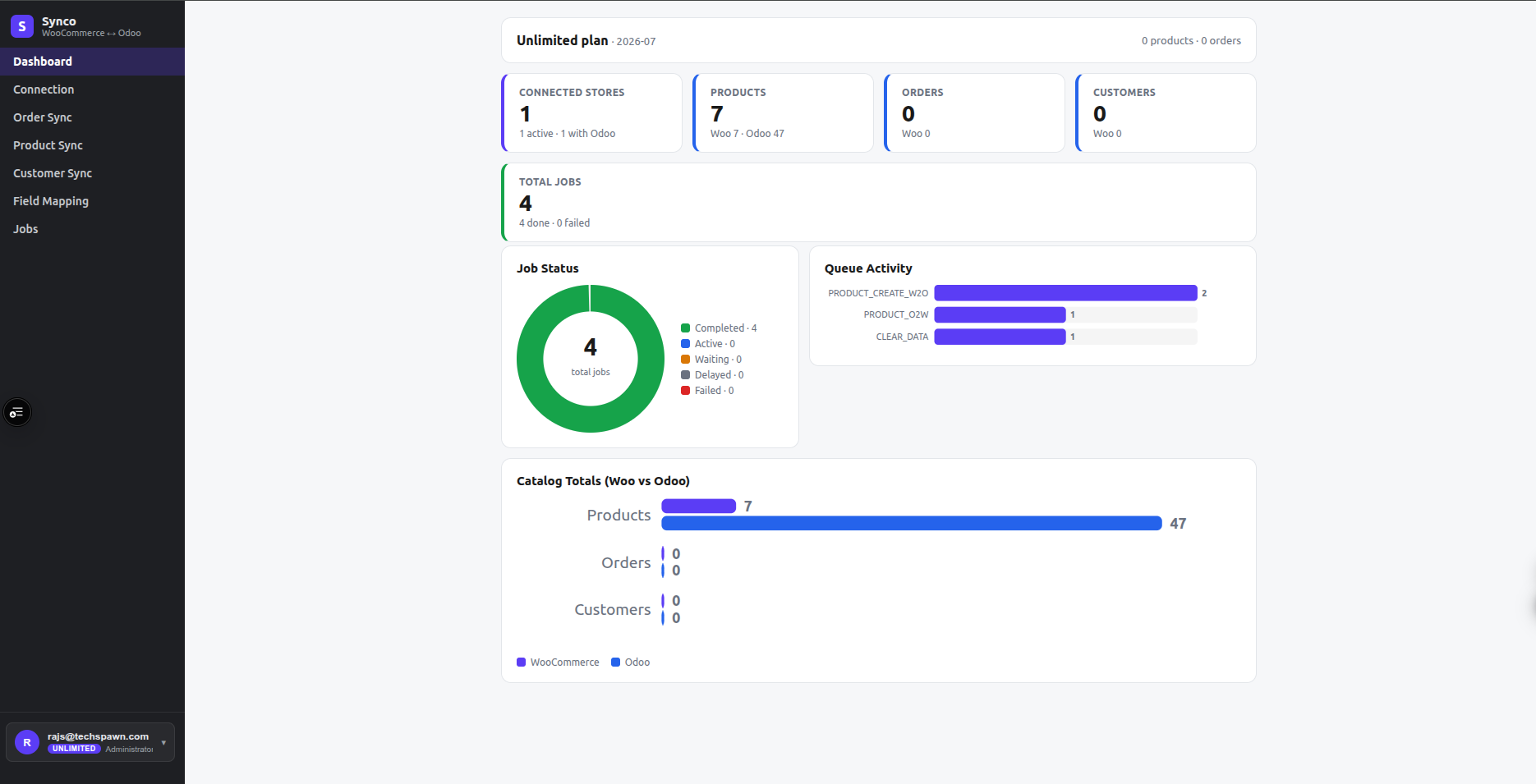
The main application dashboard summarizes connected stores, product/order/customer totals, monthly plan usage, job-state counts, queue activity, and WooCommerce-versus-Odoo catalog totals. Use Jobs for the row-level detail behind those summaries.
The internal queue administration endpoint is not linked in the merchant navigation and is therefore not part of the user workflow documented here.