
Inventory Sync
Keep stock quantities aligned using an explicit source, instant events, a schedule, or manual batches.
Inventory Sync runs independently from product field synchronization. Its direction follows the selected Product Sync direction, but it has its own automation mode and quantity settings.
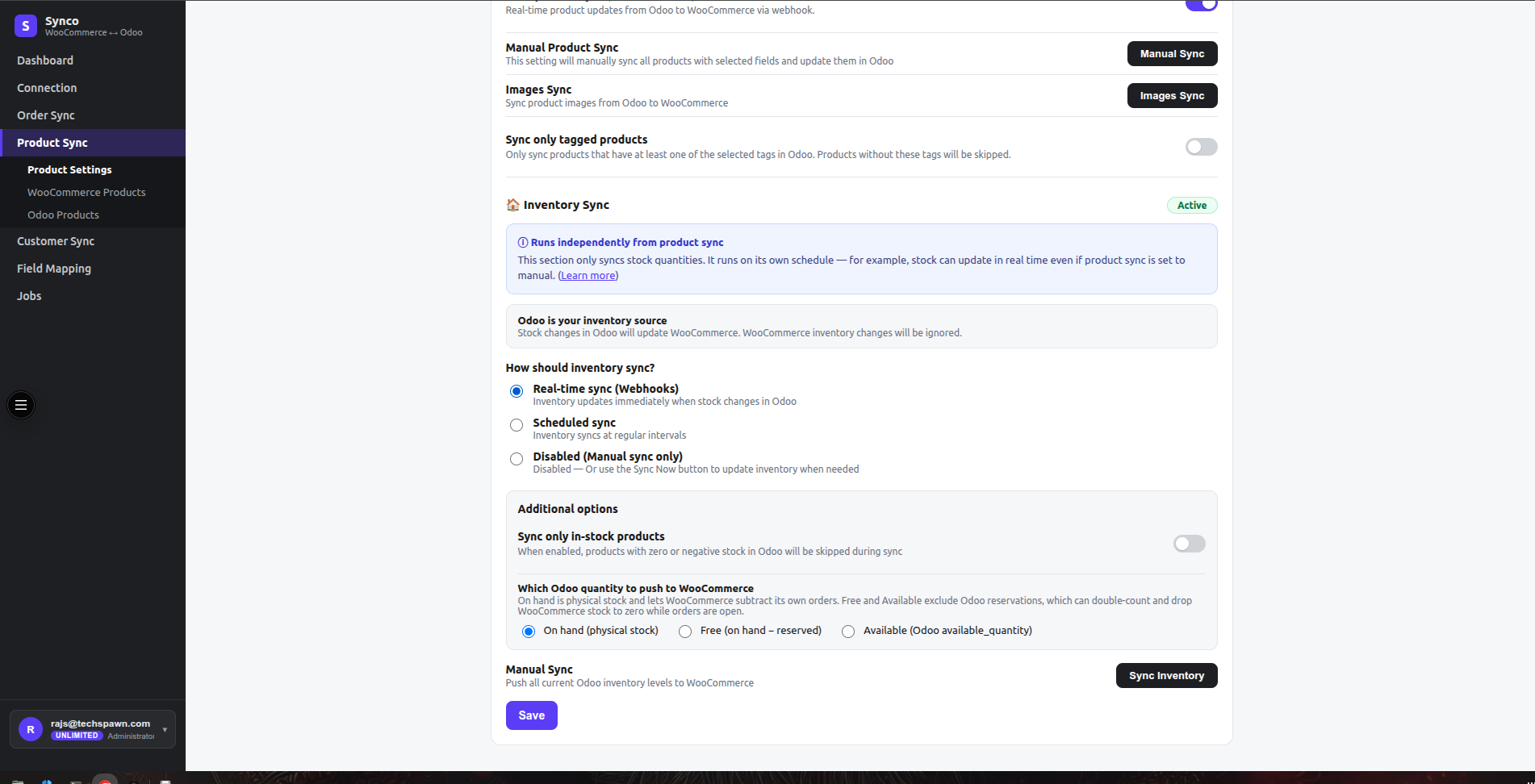
Inventory source
- With Odoo → WooCommerce, Odoo is the source and WooCommerce stock changes are not pushed back.
- With WooCommerce → Odoo, WooCommerce is the source and Odoo changes are not pushed back.
Choose one source of truth. Opposing stock automation can create loops or overwrite recent reservations.
Modes
| Mode | Use it when |
|---|---|
| Real-time sync (Webhooks) | Stock should update when a supported source event arrives. |
| Scheduled sync | Stock should be reconciled every configured number of minutes, hours, or days. |
| Disabled (Manual sync only) | You want to review and trigger every inventory batch yourself. |
Scheduled values must be at least 1. Saving a scheduled configuration creates or updates the periodic job; changing to another mode removes that periodic schedule.
Quantity options
For Odoo-sourced inventory, choose carefully:
- On hand is physical stock. It allows WooCommerce to subtract its own open orders.
- Free is on-hand quantity minus reserved stock.
- Available uses Odoo
available_quantity.
Using a reservation-adjusted quantity while WooCommerce also subtracts its orders can double-count demand. Test with an open order before enabling the workflow broadly.
Enable Sync only in-stock products to skip zero or negative source quantities where the workflow applies that filter.
Location prerequisite
Inventory depends on the company and location mapping saved under Odoo Connection. Map the intended WooCommerce location to the correct Odoo stock location before the first stock job.
Manual inventory run
- Save the source direction, quantity, and location settings.
- Select Sync Inventory.
- Review the queued and completed counts in Jobs.
- Compare a sample product in both systems before enabling automation.